
(black%20logo%20trans%20background)%20mark-of-trust-certified-ISOIEC-27001-informa.png)
Hardware vs. Software Data Wiping: Which Erasure Method Is Right for Your Business?
Updated: Aug 26

When decommissioning enterprise IT assets, data sanitization is non-negotiable. While physical destruction like degaussing or shredding permanently destroys media, data wiping (erasure) overwrites drive sectors with random binary patterns—allowing organizations to safely sanitize storage media while preserving hardware value for reuse, redeployment, or resale.
However, IT managers often face a key decision: Should you deploy software-based wiping or invest in a dedicated hardware wiping appliance?
Understanding the pros, cons, and selection criteria for each method will help you choose the best sanitization strategy for your operational requirements.
Software Wiping: Flexible & Non-Invasive Sanitization
Software wiping involves booting a device using network PXE boot, USB media, or an installed agent to execute overwriting algorithms across connected drives.
Pros of Software Wiping:
Extensive Compliance Standards: Access a wide variety of internationally recognized sanitization algorithms (such as NIST 800-88, DoD 5220.22-M, and HMG IS5).
No Disassembly Required: Sanitize whole systems—including laptops, desktops, and servers—without extracting individual hard drives or SSDs.
Pay-As-You-Go Licensing: Pay only for the licenses needed, making it cost-effective for smaller batches or distributed remote offices.
Cons of Software Wiping:
Lower Throughput for Large Volumes: Processing large quantities of devices sequentially can slow down high-volume ITAD operations.
Per-Device Licensing Costs: Because costs scale linearly per wiped drive, expenses can accumulate rapidly during large-scale enterprise refreshes.
Hardware-Dependent Speeds: Erasure speed is constrained by the host computer’s CPU, RAM, and internal bus architecture.
Hardware Wiping: High-Speed, Multi-Tasking Power
Hardware wiping relies on standalone physical appliances or dedicated duplicator/wiper workstations with specialized bay arrays for high-speed drive processing.
Pros of Hardware Wiping:
High Efficiency & Parallel Processing: Connect and sanitize dozens of loose HDDs or SSDs simultaneously at full bus speeds.
Fixed Capital Investment: Equipment costs are fixed regardless of how many thousands of drives are erased over the hardware's lifespan.
Multi-Functional Capabilities: Most enterprise hardware wipers perform additional digital forensic and IT functions, including drive duplication, drive cloning, bit-stream imaging, and drive health diagnostics.
Cons of Hardware Wiping:
Drive Extraction Required: Drives must be physically removed from loose servers or laptops before mounting to the hardware bay.
Higher Upfront Capital Expenditure: Requires an initial equipment purchase rather than smaller, recurring software license fees.
How to Choose the Right Solution for Your Operations
To determine whether hardware- or software-based wiping fits your workflow, evaluate these three core operational factors:
Compliance & Standards Requirements
If your organization or clients require specific, niche overwriting algorithms across diverse operating systems, software wiping offers broad protocol flexibility.
Drive Volume & Processing Location
For high-volume IT asset disposition (ITAD) processing centers handling loose drives in bulk, hardware wiping delivers vastly superior processing speeds and cost predictability. For decentralized offices or full-system sanitization, software wiping eliminates hardware disassembly time.
Multi-Tasking Workflow Needs
If your team frequently performs drive cloning, OS deployment, or digital forensic imaging alongside data sanitization, a multi-functional hardware wiper consolidates several operational tools into a single platform.
Summary
Software-Based Wiping | Hardware-Based Wiping (Appliances) | |
Pros | • No disassembly required: sanitize full systems (laptops, servers). • Access to wide compliance standards. • Pay-As-You-Go licensing: cost-effective for small batches. | • High efficiency: sanitize dozens of loose drives simultaneously. • Parallel processing at full bus speeds. • Fixed capital investment (no per-device cost). • Multi-functional: often includes duplicating, cloning, and imaging. |
Cons | • Lower throughput for large volumes (sequential processing). • Linear per-device licensing costs can escalate. • Wiping speed is constrained by the host computer’s hardware. | • Drive extraction required (physically remove drives from systems). • Higher upfront capital expenditure (initial equipment purchase). |
Best For... | Decentralized locations, small batches, whole-system sanitization, or remote offices. | High-volume IT Asset Disposition (ITAD) processing centers, data center bulk sanitization. |
Our Wipers / Erasurers
At DataExpert, we provide a comprehensive suite of hardware and network-based wiping solutions to meet every enterprise and forensic need.

Product Type: Network-Based Disk Duplicator & Wiper
Key Advantage: Enables secure device wiping over the network without requiring physical hardware disassembly.
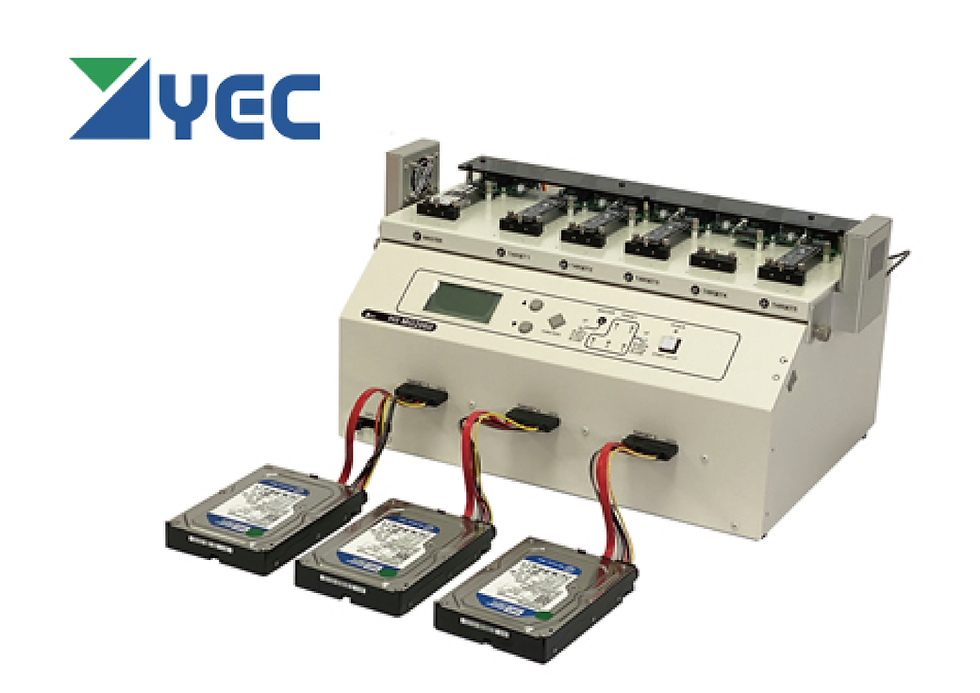
Interface Support: Compatible with PCIe M.2, SATA, USB, mSATA, and IDE drives.
Multi-Tasking Capability: Supports simultaneous wiping of up to 6 media units or 1-to-5 drive duplication.

High-Speed Performance: Handles up to 26 parallel wipings, achieving a cumulative processing speed of up to 100 TB/h.
Broad Interface Range: Supports NVMe M.2, SATA, ASA, USB, IDE, and Apple PCIe SSDs.
Advanced Forensic Tools: Features built-in data recovery capabilities, including damaged drive imaging and RAID reassembly.
For more information on wipers, please visit: https://www.dataexpert.asia/duplicator-wiper


Comments